 Flashbulb
iPhone and iPad · Free
Flashbulb
Snap your notes, slides or a textbook page and get flashcards in your own words. Check each one, then study a few minutes a night, paced to your exam date.
Coming soon to the App Store
No account. No ads. Your decks stay on your devices and your own iCloud. Privacy policy
What is Flashbulb?
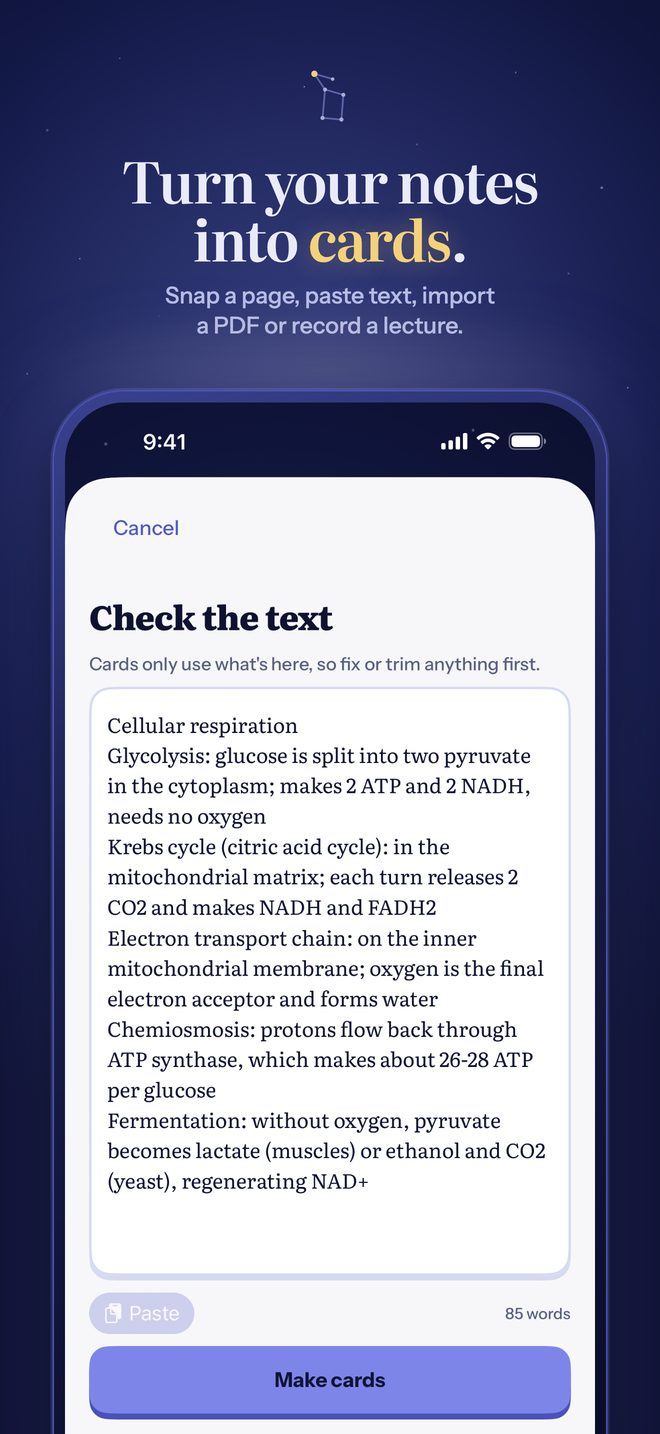
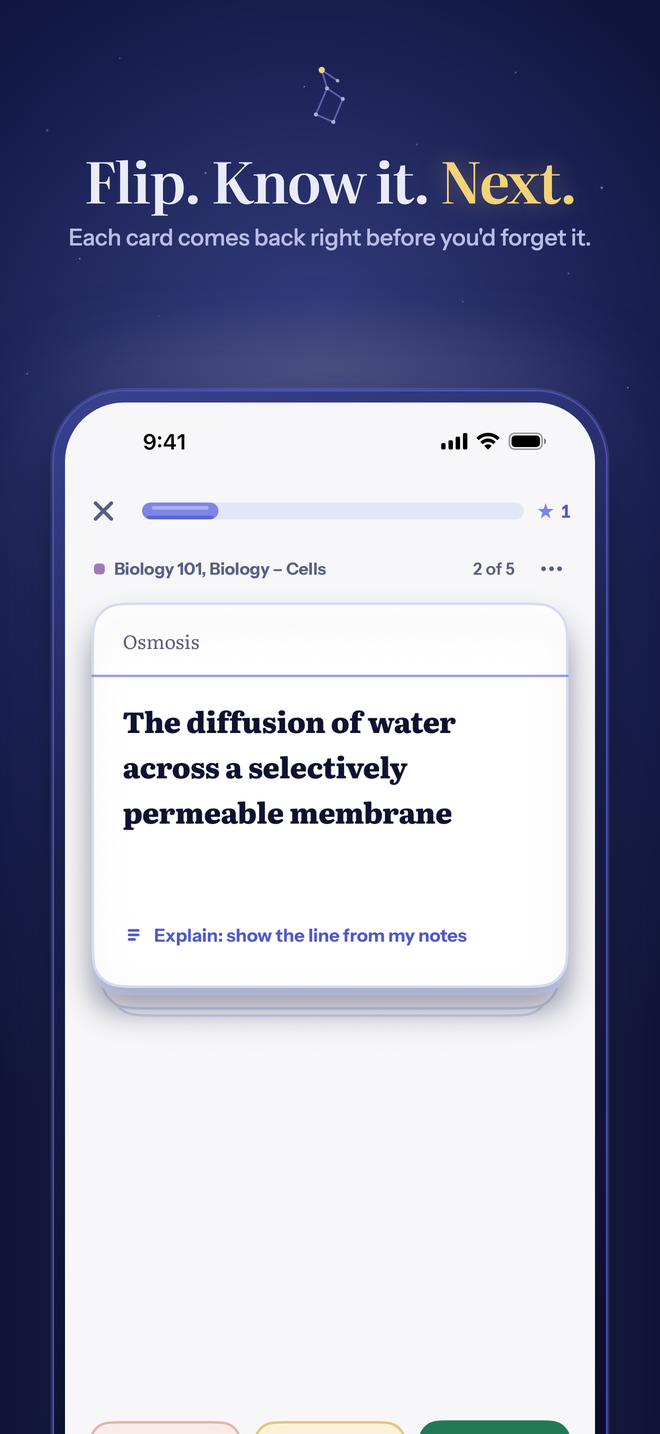
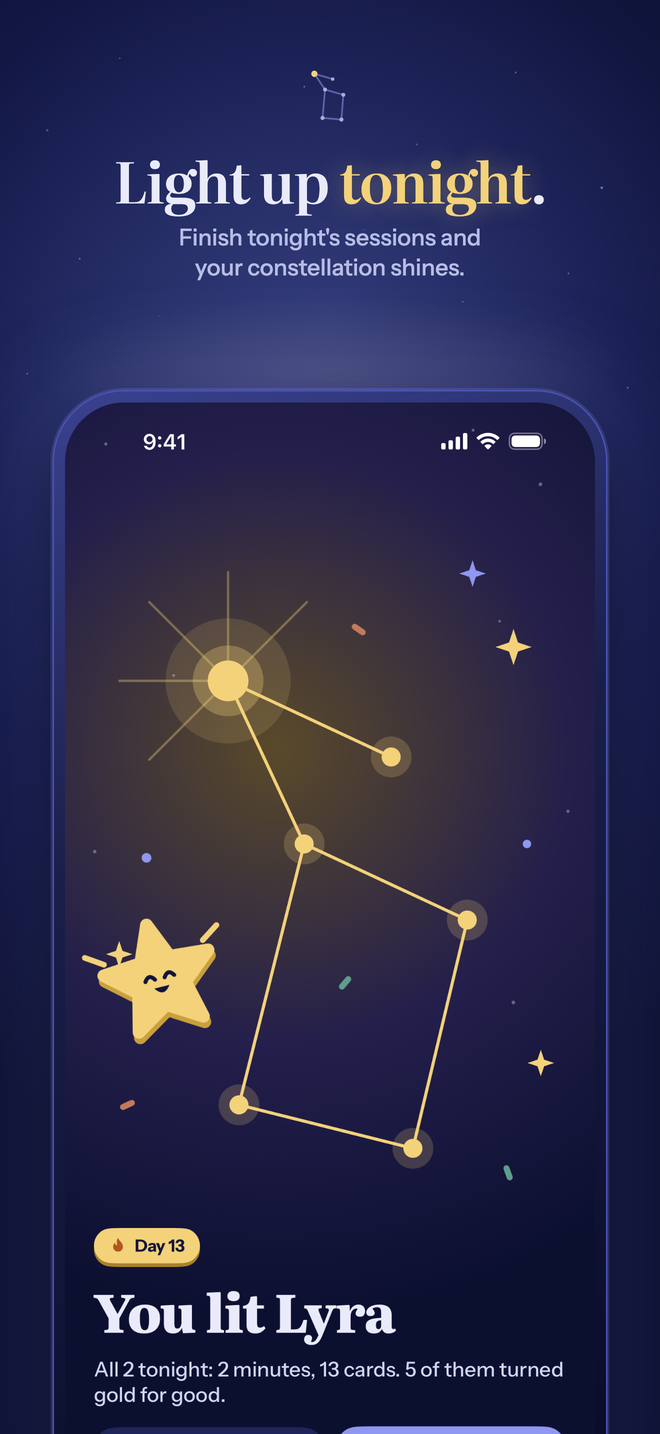
Flashbulb is a study app for iPhone and iPad. Photograph a page, import a PDF, paste text or record a lecture, and it writes question, term and fill-the-gap cards from what you gave it. You keep, edit or drop each card. Each night, Tonight lists one short session per course; spaced repetition (the FSRS scheduler) brings each card back just before you'd forget it, and an exam date paces the whole course.
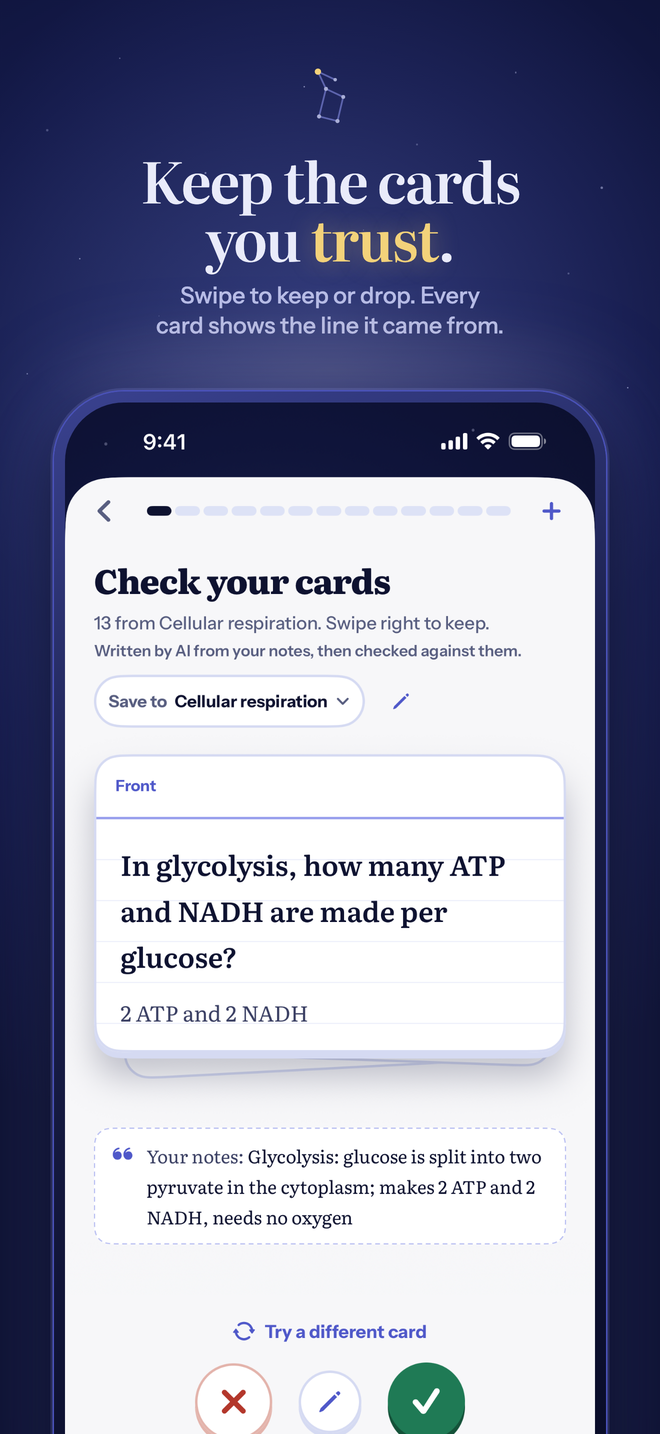
- Cards from your notesScan several pages, pick photos, import PDFs, paste text or record a lecture. Every card shows the line it came from.
- You check every cardSwipe right to keep, left to drop. A second AI pass already rejects doubtful cards.
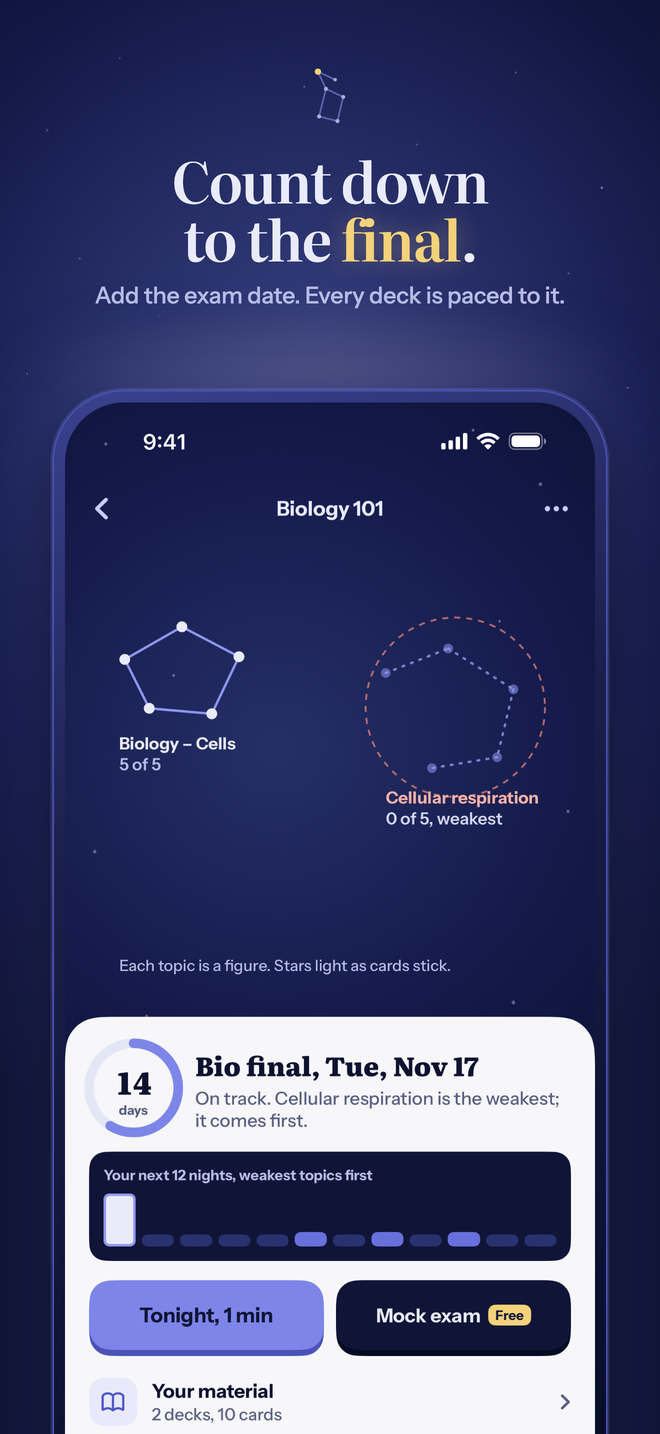
- Count down to the finalAdd the exam date to a course: the page counts down the days and plans each night, weakest topic first.
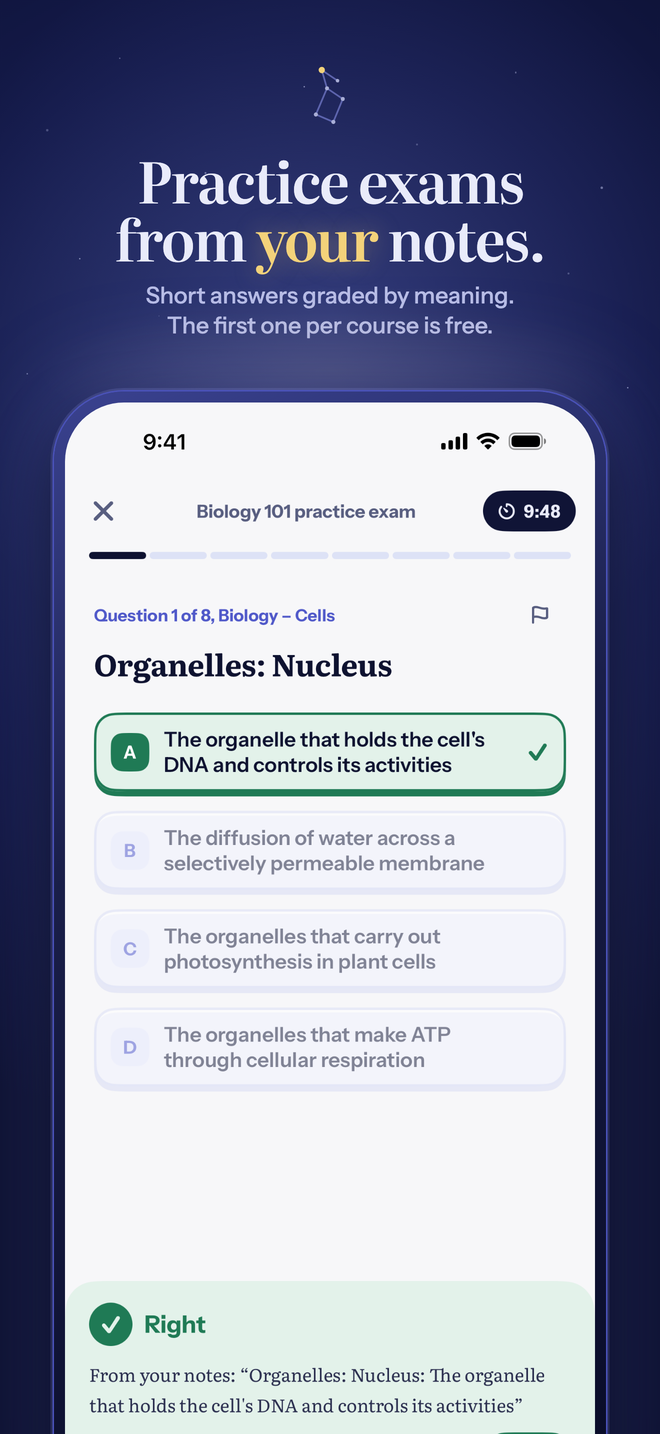
- Practice examsMock exams written from your course, short answers graded by meaning. The first one in every course is free.
- Study your wayFlip, pick from choices, or type or say the answer. "Explain" shows the lines of your notes around a card.
- Bring your decksAnki (.apkg, with review history), Quizlet exports and CSV files.
Free, with Plus if you want more
Everything above is free with no ads, including the first practice exam in each course and 30 AI pages in your first month, then 10 a month (a page is each started 3,000 characters of notes). Flashbulb Plus adds unlimited practice exams and 300 AI pages a month. Bought through the App Store; subscriptions renew until you cancel in your Apple Account settings.
- $2.99a month
- $19.99a year
- $49.99once, for good
How accurate are the cards?
In blind tests on notes the card writer had never seen, about 1% of cards from typed notes were wrong, about 3–5% from photographed notes and 4–7% from photographed foreign-language vocabulary; in lecture notes, about 3.6% of lines had a serious error (checked October 23, 2026). On cards made from photos, the review screen highlights accents, stress marks and symbols to check against the page. Every card waits for you to keep, edit or drop it. How we measured it.
Sharing, classes and challenges
Share any deck as a link (text only: photos and your study history stay on your device). A class has one shared deck and a weekly board of cards reviewed that starts over every Monday; classmates pick the name others see. Challenges are a quick multiple-choice round from one of your decks: your friend tries to beat your score. Anything shared can be reported, and names can be reported or hidden.
Guides
- How do I turn a photo of my notes or textbook into flashcards for free?Photograph your notes or a textbook page, check the text, and get flashcards made from your own words. Step by step, free, on iPhone.
- What's the best Quizlet alternative with no ads and no paywall?A dated comparison of free flashcard apps for iPhone: what's free, what's paid, ads, and which one makes cards from your notes.
- How far before a final should I start studying with spaced repetition, and how many cards a day?Start two to three weeks before the exam. A worked example of cards per day and minutes per day, and how an exam-date planner paces a deck.
- Can I move my Anki or Quizlet decks to iPhone and keep my progress?How to bring Anki (.apkg), Quizlet and CSV decks into Flashbulb on iPhone, and what carries over: cards, cloze notes and Anki review history.
- Are AI-generated flashcards accurate, and how can I check them?How often AI flashcards are wrong, the mistakes to look for, and Flashbulb's own blind-test numbers: about 1% wrong from typed notes, more from photos (October 23, 2026).
- How do I turn my notes into flashcards?Three ways to turn class notes into flashcards: paste typed notes, photograph handwritten pages or record the lecture. What makes a good card, and how to check AI-made ones.
- What's the best way to study for finals with flashcards?A finals plan that works: make cards from each course early, study a little every night with spaced repetition, take a practice exam, then drill your weakest topics.
- How does spaced repetition work?Spaced repetition explained simply: the forgetting curve, why reviews get further apart, what FSRS does, and what a day of reviews looks like.
- Can I make a practice exam from my own notes?Make a mock exam from your class notes: multiple-choice and short-answer questions written from your material, short answers graded by meaning, weak topics listed after.
Questions
Is Flashbulb free?
Yes. Unlimited decks and cards, scanning, imports, every study mode, exam dates, sharing and sync are free with no ads, and the first practice exam in each course is free. The AI card writer is free for 30 pages in your first month, then 10 a month. Flashbulb Plus ($2.99 a month, $19.99 a year or $49.99 once) adds unlimited practice exams and 300 AI pages a month.
Do I need an account?
No. Your decks live on your iPhone or iPad and sync through your own iCloud. Sharing a deck or joining a class uses a random ID the app makes, not your name or email.
Which devices does it work on?
Any iPhone or iPad that runs iOS 26. The AI card writer runs on our server, so it doesn't need Apple Intelligence.
Where do the cards come from?
From your own notes: the AI card writer (Anthropic's Claude) and the on-phone pattern finder only use the text you give them, every card shows the line it came from, and you check each card before it joins a deck.
What is a practice exam?
A timed mock exam written from one course's cards and notes: multiple-choice and short-answer questions, with short answers graded by meaning and your weakest topics listed after. The first one in every course is free.
Can I share a deck?
Yes, by link. Whoever opens it sees a preview and can add the deck to Flashbulb. Links end after 30 days unless people on two different networks open them, and you can stop sharing at any time.